Think Pad
Extending Wispr Flow's Scratchpad
Tools
Claude Design
Chat GPT
Year
2026
What motivated me to create this?
One thing I noticed while using Wispr is that I can’t see my live transcript while speaking. When I’m writing something longer—an email, essay, or even a long prompt—I rely heavily on the words I’ve already written to inform my next thought and the language I use.
Without that visual reference, I find it easier to lose my train of thought, repeat myself, or give Wispr a less structured stream of dictation than I otherwise would.
My normal process ends up being a brain dump of ideas and sentences, followed by organizing and proofreading between ChatGPT and a Word doc. Something that feels like it should take 5 minutes can easily take 20 across three different platforms.
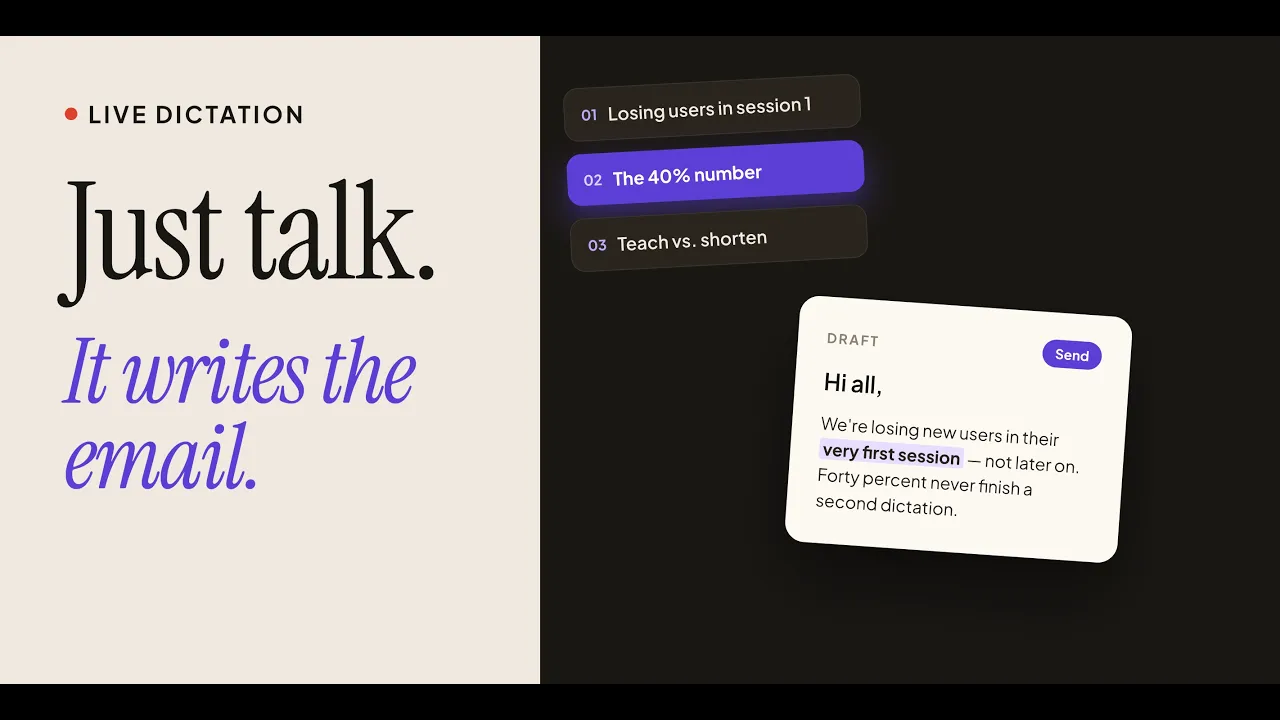
Wispr’s Scratchpad already gives me the floating thinking space I want, so I started playing around with how it could better support the thinking that happens while I’m speaking. My extension adds a live transcript so I can refer back to what I’ve already said and maintain my train of thought, while also giving me a lightweight way to reorganize, edit, and transform those thoughts without constantly oscillating between apps.
I know this began with a problem I personally experience, but I also noticed the behavior recurring among people around me. And I really liked something from Wispr’s Master Plan:
“Instead of building a general solution, we'll make sure that 50 people who desperately want that problem solved fall in love with the UX.”
That idea resonated with how I think about design: I'd rather deeply solve a specific human problem than design something broadly useful but only mildly valuable.
How I used AI in my workflow?
I used AI across the end-to-end design workflow, treating ChatGPT and Claude Design as tools for research, ideation, and prototyping rather than as one-shot design generators.
1) I used ChatGPT to surface resources on emerging interaction patterns for voice interfaces and to pressure-test my product thinking.
2) Next, I used Wispr itself to dictate a README that consolidated that research, conversations with a product manager friend, product requirements, and design rationale into a shared context source for Claude.
3) After translating Wispr's existing visual system into Claude Design, I explored both AI-generated and hand-sketched low-fidelity concepts and selected the strongest interactions myself before drafting my final prompt, which I restructured using Wispr's Transform feature into a clear framework (role, task, context, inputs, constraints, references, and an execution checklist) to give Claude precise design intent.
4) Finally, I iterated on the generated prototype against my original UX goals and recorded a working demo; my next step is to bring the same context into Claude Code to turn the scripted demonstration into something users can actually interact with and test.